






TL;DR
- New Shopify stores fail mainly due to lack of trust signals. Missing activity, social proof, clear branding, and transparency make stores feel risky, leading to hesitation and abandonment.
- Traffic doesn’t equal sales: poor mobile UX, slow speed, weak urgency triggers, and complicated checkout processes reduce conversions significantly.
- Fixes include building professional design, visible trust signals (reviews, policies, security badges), urgency elements, and a strong humanized brand story.
- Avoid common mistakes: scaling traffic too early, overusing popups, and copying competitors without differentiation.
In this article, we’ll break down why customers don’t trust new Shopify stores, why traffic doesn’t automatically translate into conversions, and how to fix both issues strategically.
1. Why Customers Don’t Trust New Shopify Stores?
1.1 No Visible Activity
One of the biggest hidden reasons why new Shopify stores struggle to sell is the absence of visible activity. When visitors land in a store and see no signs of movement, engagement, or recent transactions, they subconsciously assume the business is inactive, unpopular, or even unsafe.
Common signs of no visible activity include:
- No replies to customer questions or long response times
- Blog or announcement sections that haven’t been updated
- Outdated product information, pricing, or broken links
From a customer’s perspective, activity equals legitimacy. A silent store does the opposite - it increases perceived risk and and grows purchase hesitation. Visitors begin to wonder: Is this store trustworthy? Has anyone actually bought from here? What happens if something goes wrong?
For new Shopify stores, this becomes a compounding problem: no sales lead to no visible activity, and no visible activity leads to even fewer sales.
1.2 No Social Proof
One of the most critical early-stage Shopify store problems is no social proof. Customers don’t just evaluate your store, they evaluate what others say about your product. They look for social proof, such as reviews, ratings, testimonials, comments, user-generated content, and social media shares.
Common signs of no social proof:
- No Shopify reviews or ratings
- No customer testimonials on landing pages
- No tagged photos or user-generated content
- No comments, shares, or engagement on social media
When visitors see no reviews, they hesitate. A study by BrightLocal show that in 2026, 41% of consumers "always" read reviews when browsing for businesses, and 47% of consumers won’t use a business that has fewer than 20 reviews. Without social proof, your store feels untested and risky, lowering overall trust perception. Therefore, building social proof is crucial.
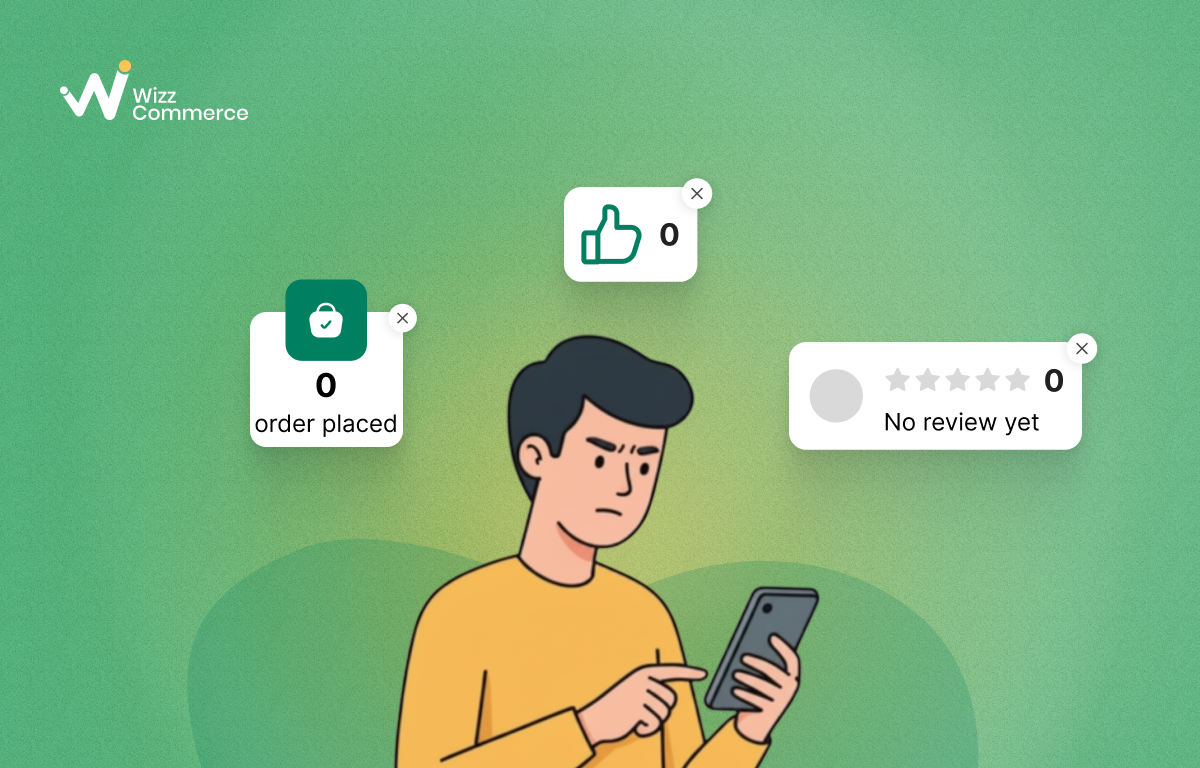
Customers hesitate when they don't see any social proof
1.3 Fear Of Scams And Fake Shopify Stores
Online shoppers today are highly cautious. The rise of fake Shopify stores and ecommerce fraud has made customers more skeptical than ever. In fact, 85% of Americans see shopping site scams as a serious threat, while 50% go as far as calling it a 'major' problem.
- Missing or unclear contact page
- Unrealistic discounts (e.g., 80-90% off everything)
- No refund or return policy
- Unprofessional domain name
When shoppers detect any of these signals, the store's trust collapses instantly. Even if your store is legitimate, the absence of transparency can create doubt. As a result, visitors leave without purchasing, hesitate to enter payment information, or search your brand name again to verify credibility.
1.4 Weak Brand Story And Unclear Information
A common beginner Shopify mistake is not building a meaningful connection with the audience. A strong brand story helps customers understand who you are, what you stand for, and why your store exists. Without this narrative, or when key information is vague, your store feels generic and replaceable.
Common signs of a weak brand story and unclear information:
- No clear "About Us" page explaining your brand identity and your brand mission
- Inconsistent logo visual, tone, visuals, or messaging
- Vague product descriptions with little detail
- Missing FAQs about shipping, returns, or warranties
👖 Example: Imagine you are deciding between two different stores to buy a pair of jeans. The first store uses a basic, default Shopify theme with the "Powered by Shopify" footer still visible. In contrast, the second store features a fully customized theme that aligns with the brand's style. While the first site feels impersonal and potentially untrustworthy, the second exudes professional polish.
2. Why New Shopify Stores Don’t Convert (Even With Traffic)
2.1 No Urgency Or Buying Triggers
One of the most common reasons why a Shopify store is not getting orders is the absence of urgency. Research shows that without urgency tactics such as countdown timers or limited-time offers, indefinite availability can reduce immediate purchase probability by 40-70% because time pressure is eliminated. In other words, when there is no reason to buy today, customers choose "maybe later."
Common missing buying triggers include:
- No limited-time discounts or flash sales
- No low-stock indicators
- No countdown timers
- No pop-up notifications
Strategic urgency does not mean manipulation. It means guiding user behavior with clear, ethical signals that stimulate the FOMO effect. When combined with strong value proposition on the product page, urgency increases momentum and reduces purchase hesitation.
2.2 Poor Mobile Experience And Slow Loading Speed
Many cases where a Shopify store fails to convert can be traced back to poor mobile optimization. Mobile traffic now accounts for the majority of eCommerce visits, yet many themes are not properly adapted for smaller screens. When a website looks distorted on mobile screens or key elements become difficult to tap, users quickly lose patience.
Poor mobile experience often includes:
- Layouts that break or appear misaligned on smaller screens
- Call-to-action buttons that are too small or difficult to tap
- Text that is hard to read without zooming
Speed makes the situation worse. Studies indicate that 53% of mobile visitors abandon a website if it takes longer than three seconds to load. Even if your store's theme is well-customized, poor mobile UX can increase bounce rate.
🚀 Bounce rate is the percentage of visitors who land on your website and leave within the first 10 seconds after viewing only a single page, without taking any further action. On average, eCommerce stores experience a 47% bounce rate. You can track this metric within your own store using Shopify Analytics.
2.3 Complicated Or Risky Checkout Process
Even if a store successfully builds trust and product interest, conversion rate can collapse at the final step: the checkout flow. At this stage, hesitation increases dramatically because users must provide sensitive personal and payment information.
Common checkout process problems include:
- Too many form fields to complete
- Unexpected shipping or tax costs at the final step
- No visible security badges or trust signals
The more steps required, the higher the cart abandonment risk. Customers begin to question security, hidden fees, or the legitimacy of the store.
3. How to Fix Trust Issues and Improve Conversion Rates In A New Shopify Stores
3.1 Make Your Shopify Store Look Professional
First impressions strongly influence online trust. Visitors often form an opinion about a website within seconds, and a store that looks outdated, inconsistent, or poorly structured immediately raises doubts. Professional design signals legitimacy, stability, and long-term commitment, all critical factors for new Shopify stores trying to build credibility.
To improve perceived professionalism, focus on:
- Optimizing product pages with clear images, updated and structured descriptions, and benefit-driven value proposition
- Using consistent fonts, colors, and brand identity across all pages
- Improving mobile-first UX to ensure smooth navigation on smartphones
- Removing broken links, placeholder text, and low-quality visuals
- Ensuring fast loading speed and clean layout structure
Product pages deserve special attention because they directly influence buying decisions. A well-structured store lowers bounce rates, increases perceived value, and strengthens customer confidence throughout the buying journey.
3.2 Add Visible Trust Signals
Trust is not built through design alone, it must be clearly demonstrated. New Shopify stores often assume that a clean layout is enough, but visitors look for concrete proof that the business is legitimate and secure.
Effective trust signals include:
- Social proofs: product reviews, ratings, testimonials, comments, user-generated contents,...
- Trust badges and security seals (SSL, secure checkout)
- Clear refund, shipping, and return policies
- Accessible contact page
Customer feedback plays a particularly strong role in building credibility. Positive customer reviews and testimonials increase perceived reliability, while visible security indicators such as SSL certificates further reinforce safety. Stores that combine social proof with security signals often see conversion rates improve by roughly 15-20%.
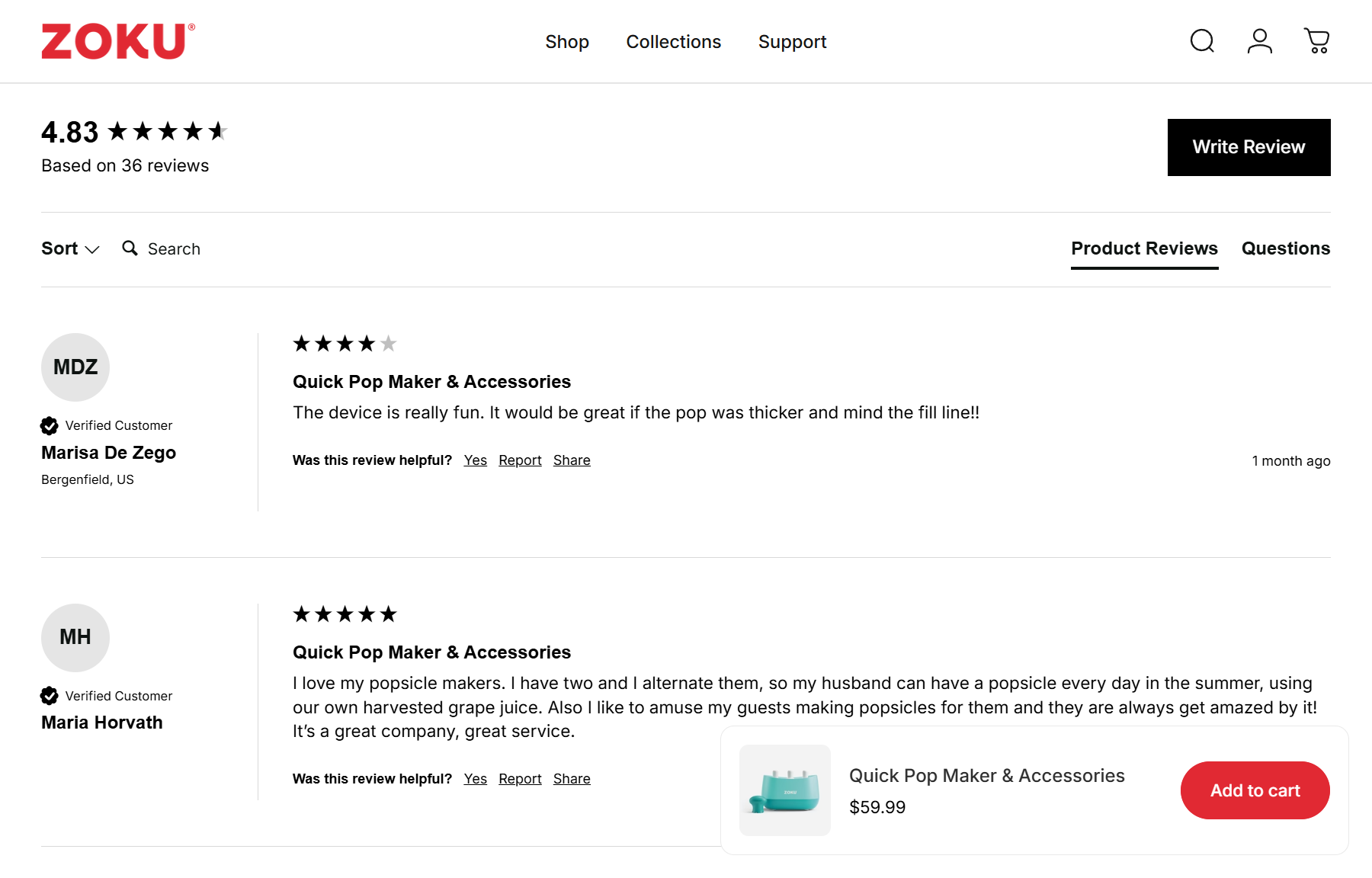
Trust signals make your store look legitimate (Source: Zoku)
To set up social proof notifications effectively, the key is placement and consistency. They should appear near "Add to Cart" buttons, inside the checkout page, and in the footer.
3.3 Add Urgent Pop-Ups And Notifications
Another method of Shopify conversion rate optimization strategies is using urgency-based pop-ups and real-time notifications. While trust signals reduce fear, urgency elements reduce hesitation. They signal that other people are actively engaging with the store and that opportunities may not last forever.
Common notifications include:
- Simulated low-stock alerts ("Only 3 items left")
- Visitor counter notifications ("12 people viewing this product")
- Recent purchase pop-ups ("Someone in New York just bought this")
- Countdown timers for limited-time offers
In one eCommerce case study, adding these elements directly to product pages resulted in a revenue increase of over 27%. The reason is simple: scarcity and activity signals trigger the FOMO effect, pushing customers toward faster decisions. You can refer to this article to see how to add Shopify sales popups to your store.
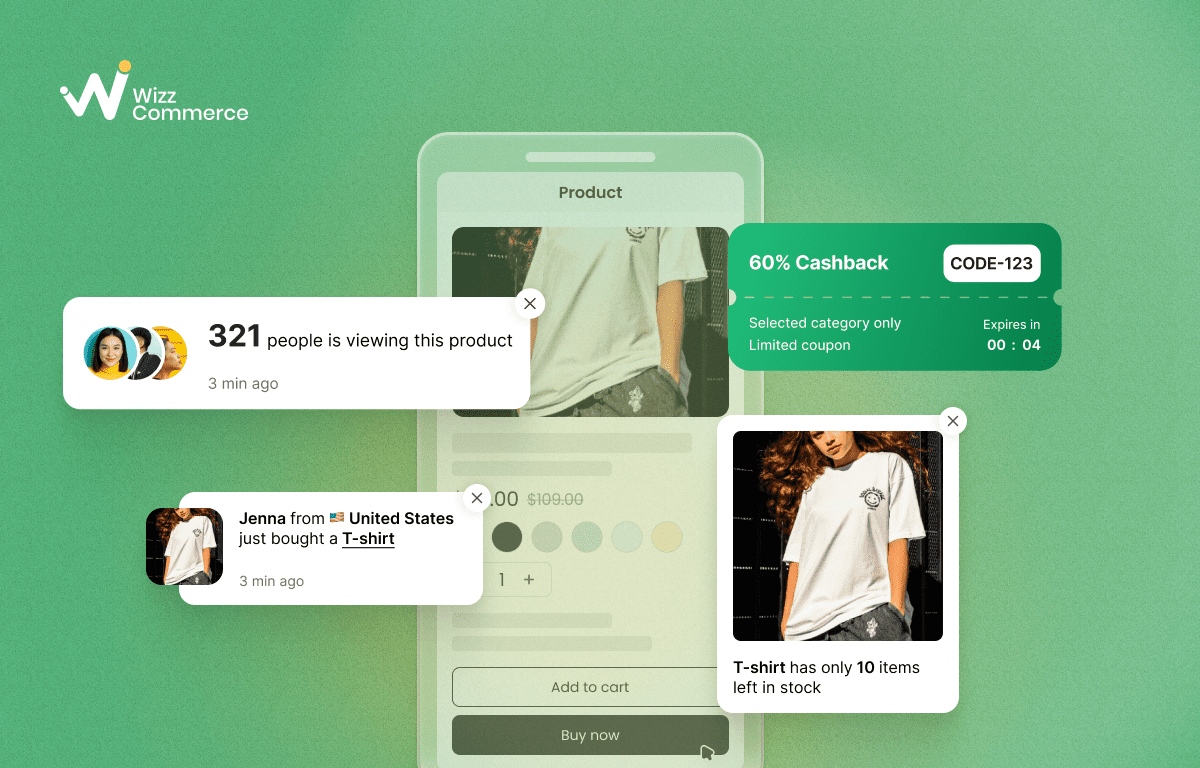
Use notification to trigger FOMO
🔥Example: A customer is hesitating over a purchase when a notification appears: "Only 1 item left in stock!". Fearing they will miss out, their hesitation turns into urgency, driving them to complete the checkout immediately.
New store owners may ask: "What if I don’t have real orders yet?". Instead of fake notification, you can use real-time data like live visitor counts, low-stock alerts, and flashing tabs to show shoppers your store is active.
However, these tools must be used carefully. Excessive frequency, unrealistic numbers, or poorly placed pop-ups can damage credibility instead of building it. Urgency works best when it feels natural and aligned with the brand. You should keep notifications subtle, place them near product information or call-to-action buttons, and avoid overwhelming the user.
3.4 Show The Human Side
Trust increases when customers feel they are buying from real people, not from an anonymous website. New Shopify stores often focus heavily on products and pricing but forget to tell the human story behind the brand. Showing the human side builds emotional connection, which is a powerful driver of conversion.
Ways to humanize your Shopify store include:
- Creating a detailed and authentic "About Us" page
- Sharing the founder’s story and brand mission
- Consistently updating social channels with real activities and customer interactions
- Using real photos instead of generic stock images
Storytelling has been shown to significantly improve performance, with some studies indicating that strong brand storytelling can lift conversion rates by around 30%. Another study by Lucidpress, maintaining a unified brand presence across all platforms can boost revenue by as much as 23%.
Consistency is essential. Your brand voice, visuals, and messaging should align across your Shopify store and social media platforms. A cohesive narrative across all touchpoints reinforces authenticity and strengthens long-term credibility.
3.5 Set Realistic Shopify Conversion Rate Benchmarks
Many new store owners assume that low conversions mean failure. In reality, early-stage performance often reflects normal market behavior rather than a broken store. Setting realistic benchmarks prevents panic-driven decisions and helps you optimize strategically.
When evaluating your Shopify conversion rate, consider:
- The average Shopify store conversion rate is 1.4%
- Set a realistic profitability timeline based on your resources
- Product price and niche competitiveness influence baseline performance
Many new store owners try to reach a good conversion rate of 3.2% within their first year. In reality, that level usually comes after consistent optimization and brand maturity.
Instead of chasing unrealistic numbers, focus on steady improvement. If your store converts at 0.5%, your next goal is 1% - not 5%. Small percentage increases compound significantly over time. A structured approach to testing product pages, checkout flow, and trust signals will produce sustainable growth.
Ecommerce conversion benchmarks are not limits; they are context. Understanding what is normal helps you distinguish between true structural problems and expected early-stage friction.
4. Common Pitfalls Of New Shopify Stores
4.1 Chasing Traffic Before Fixing Trust
Many new Shopify store owners assume that low sales are caused by low website traffic. As a result, they increase budgets for Shopify ads and other forms of paid traffic before strengthening the store’s trust foundation. This approach often results in a high traffic no sale scenario.
Traffic amplifies existing performance, whether it is good or bad. If your store lacks trust signals, clear policies, professional store design, or social proof, more visitors simply mean more people leaving. More organic traffic or paid campaigns may increase visibility, but they cannot compensate for weak credibility.
Before scaling traffic, ensure your store communicates legitimacy and reliability. You should build social proof, refine product pages, clarify shipping and return policies, and optimize the checkout experience.
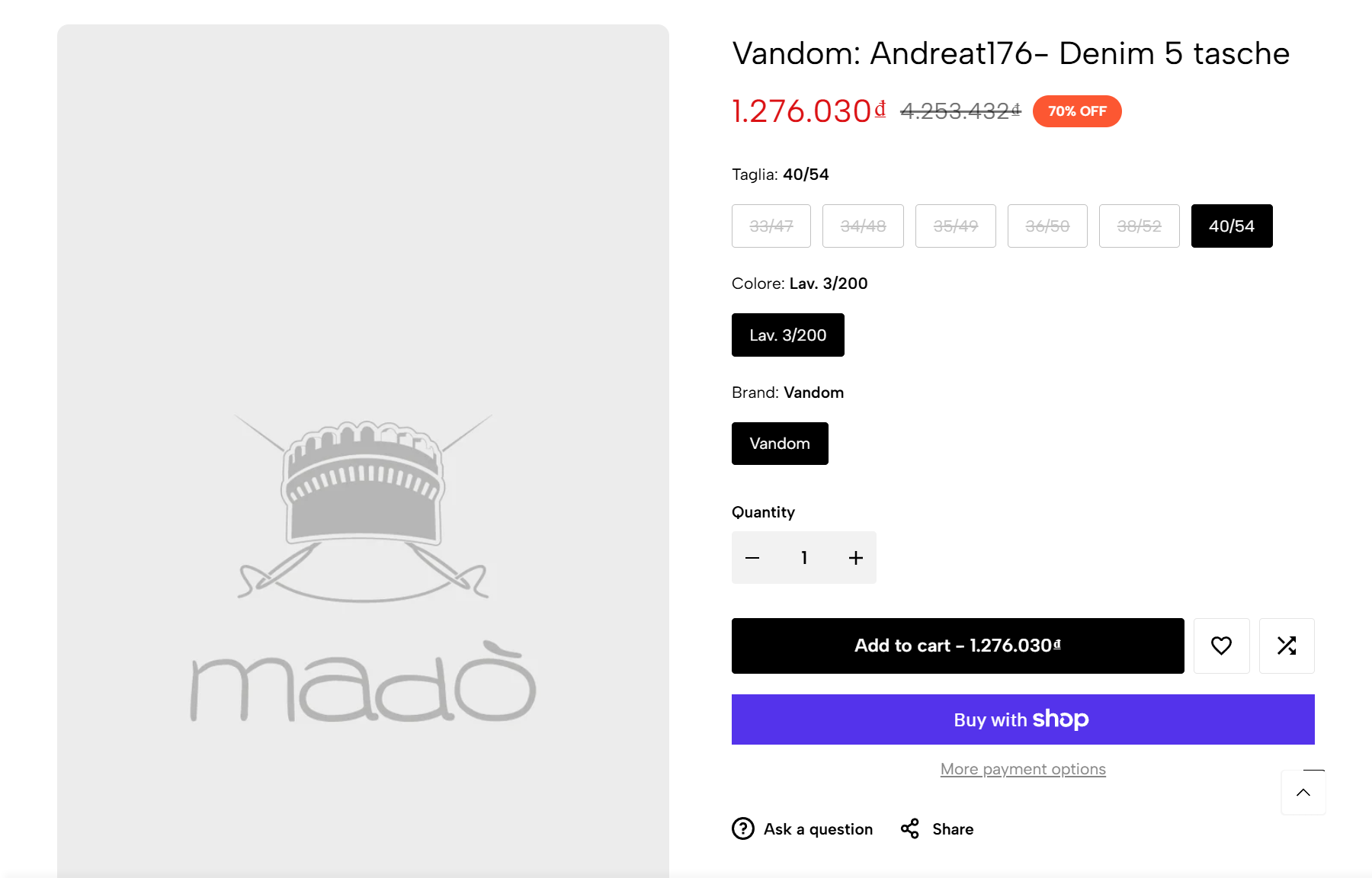
Example: Product image missing
4.2 Over-optimization
Optimization is important, but excessive optimization can damage trust. Many new Shopify stores try to increase conversions by stacking multiple popups, timers, badges, and notifications on the same page. Instead of creating urgency, too many popups look like spam, and this often creates suspicion.
When visitors feel overwhelmed, they tend to leave almost immediately, often within the first 10 seconds, which increases bounce rates. That's why timing plays a critical role. Welcome popups for first-time visitors should ideally appear within the first 0-5 seconds. Most other popups perform better when triggered after 6-10 seconds, once the visitor has had time to scan the page.
👟 Example: You're browsing for sneakers on your smartphone. As you try to inspect the product details, a massive discount banner suddenly blocks your view. After fumbling to close it, a "Recent Purchase" alert immediately slides up, followed by a low-stock notification. Instead of FOMO, you feel frustrated and claustrophobic.
Effective optimization feels natural and supportive, not desperate. The goal is to guide decisions subtly, not pressure users.
4.3 Copying Competitors Without Differentiation
It is common for new Shopify store owners to model their sites after successful competitors. While learning from others is smart, direct imitation without differentiation weakens long-term brand trust and harms overall brand identity.
Typical signs of copying without strategy include:
- Using nearly identical layouts and product page structures
- Rewriting or slightly modifying competitor product descriptions
- Adopting the same brand voice without aligning it to your own story
When customers see generic messaging and interchangeable branding, the store feels replaceable. If your positioning is unclear, price becomes the only comparison factor, and that often leads to lower margins.
👎 Example: A customer opens your Shopify store and immediately notices it looks nearly identical to a major brand in your industry. You use the same color palette, a mirrored layout, and very similar slogans to them. The store feels like a "cheap knock-off" or a "copycat.
Trust grows from identity and clarity. A distinct brand story, defined audience, and consistent voice create memorability. Instead of copying what competitors say, define why your store exists, who it serves, and what makes it meaningfully different. Differentiation builds authority, and authority strengthens conversions over time.
Conclusion
New Shopify stores fail not because the platform doesn’t work, but because trust and conversion foundations are weak. Traffic cannot fix a broken link, poor UX, or missing social proof. The solution is strategic: clarify your positioning, build strong trust signals, and optimize conversion before scaling traffic. When trust, differentiation, and user experience are solid, growth becomes sustainable instead of accidental.
FAQs (Frequently asked questions)
1. Why do customers not trust new Shopify stores?
New Shopify stores often feel unfamiliar and unproven. If branding looks inconsistent, product pages lack real reviews, or policies are unclear, visitors will hesitate.
2. Why is my Shopify store getting traffic but not converting?
Traffic alone rarely guarantees sales. Missing trust elements, unclear value propositions, or weak product positioning often create friction, so the core conversion issue remains even if visitor numbers increase.
3. How can I make my new online store look more trustworthy?
Trust grows through clarity and consistency. A cohesive brand identity, transparent policies, authentic customer reviews, and detailed product information help visitors feel secure. Clean design, fast loading speed, and clear contact details also create reassurance, making the store feel reliable and established.