






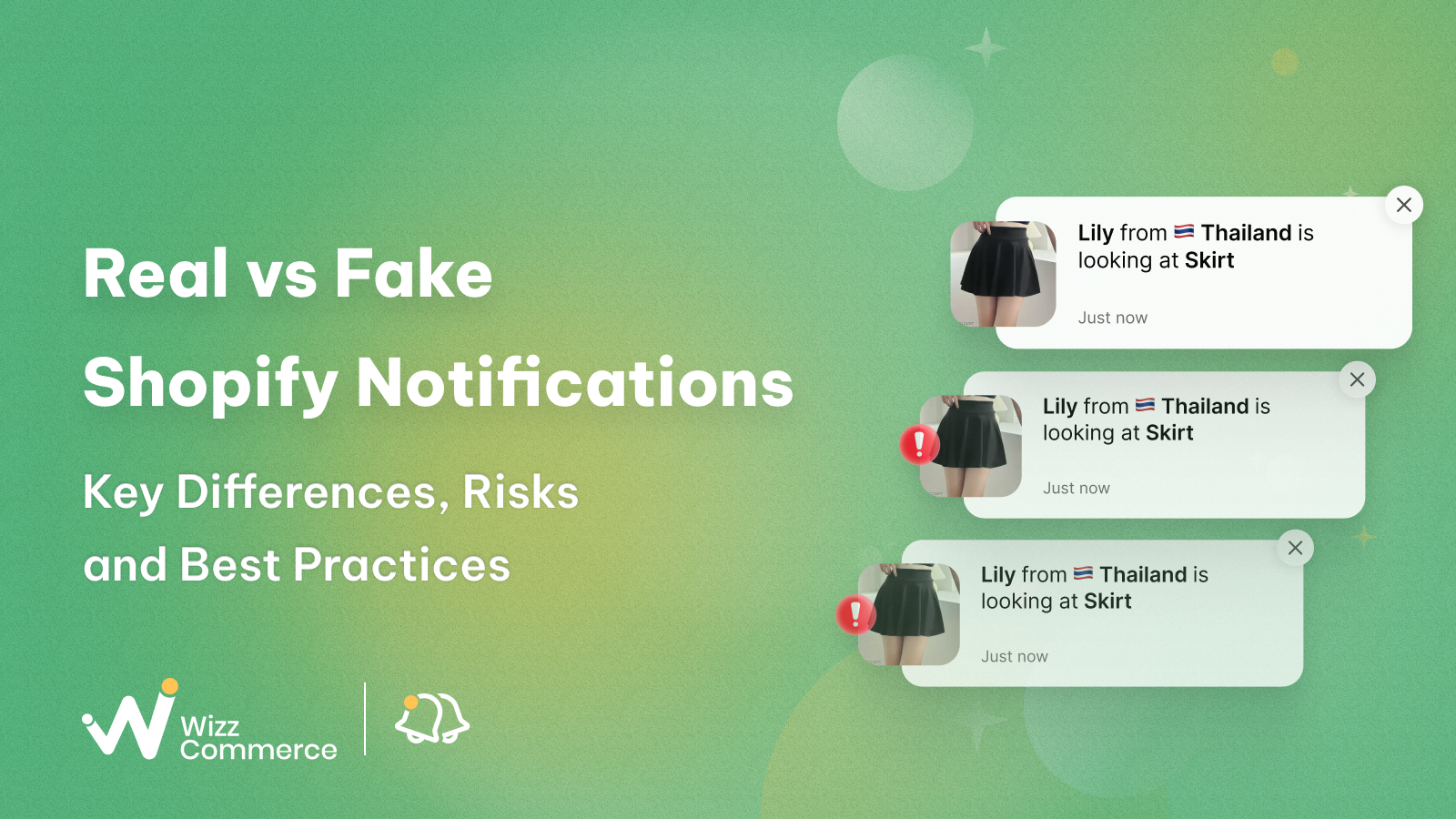
TL;DR
When a visitor lands on your store for the first time, they're quietly asking one question: Can I trust this place? Real-time activity signals will go a long way in answering that question. However, some Shopify stores simulate it to appear busier than they actually are. While both approaches can influence buying decisions, real Shopify popups are usually more trustworthy for sustainable long-term growth.However, not all notifications build trust in the same way. While live sales notifications reflect genuine customer activity, fake sales popups may create potential risks and damage long-term credibility.
In this article, we will compare Shopify real vs fake notifications, explain how they work, and discuss ways to build trust using live purchase signals.
1. Understanding real order notifications on Shopify
Sales notification popups are small, non-intrusive messages that appear on an online store to inform visitors about recent customer activity, product demand, or promotional events. These real-time notifications help the storefront feel more active and trustworthy.
People often look at the actions of others when making decisions. Therefore, many merchants use real notifications as a form of social proof.
Recent order popups can show several types of activity in a store:
- Purchase activity
- Visitor activity
- Scarcity alerts
- Cart reminders
- Promotion notifications
These features can be added using notification tools available in the Shopify App Store.
2. Understanding Shopify fake purchase popups
Fake Shopify sales popups are designed to look like genuine purchase alerts. They display sales, orders, or customer activity that did not occur in real time.
The core purpose of fake Shopify purchase notifications is to create perceived activity. They signal popularity and momentum rather than reflecting actual customer behavior.
Fully simulated notifications:
Fully simulated notifications do not rely on any real order data from the store. The app creates all the elements of the popup, including customer names, products, purchase times, and locations. This type of notification is common in new or low-traffic stores. These stores may not have enough real sales activity to display yet, so they generate events. However, merchants should use them responsibly to avoid misleading customers.
Hybrid notifications:
The hybrid approach combines real store data with simulated messages. The popup displays actual purchase or visitor popups whenever real activity occurs. If there are no recent events, add fake order notifications instead to keep your shop busy. Hybrid sales popups often come out more believable than entirely artificial ones. Many growing stores apply them to showcase real customer activity while still maintaining steady social proof signals on the site.
For a deeper understanding, check out our comprehensive guide on fake Shopify notifications.
3. Key differences between Shopify real and fake sales popups
3.1 Shopify real vs fake notifications: Quick comparison
After understanding how live and simulated Shopify purchase notifications work, let's see how they differ in practice. Their differences can influence data accuracy, store transparency, and potential risks for merchants.
- Real notifications use actual order data and reflect genuine customer activity. They build trust and are more sustainable for long-term growth.
- Fake (simulated) notifications generate activity using predefined data and timing rules.
They can create urgency in low-traffic stores. The table below points to the key differences between real and fake sales popups on Shopify:
3.2 Data source
Real Shopify purchase alerts come directly from a store's actual order data. When a customer completes the checkout, the order is recorded in the store system. Notification apps can then display messages such as: "Someone just purchased Product A".
Because these messages are connected to real transactions, they reflect genuine customer activity and can be verified through the store's order history.
Fake Shopify sales popups, on the other hand, do not rely on real order data. Instead, they are created from predefined templates or simulated information. Merchants may configure elements such as:
- customer names
- locations
- product names
- purchase times
The system then displays these popups automatically, even if no real purchase occurred.
3.3 Authenticity
With real sales activity popups, the messages reflect actual customer activity. The product displayed has been bought, and the timestamp shows when the order happened. The messages help reinforce the store's credibility.
Simulated Shopify notifications are designed to look realistic without representing real sales. The popup functions as a generated marketing signal rather than a factual event.
At first glance, these notifications may appear convincing. However, experienced online shoppers may notice repetitive timing or identical message structures, which can make the activity feel artificial.
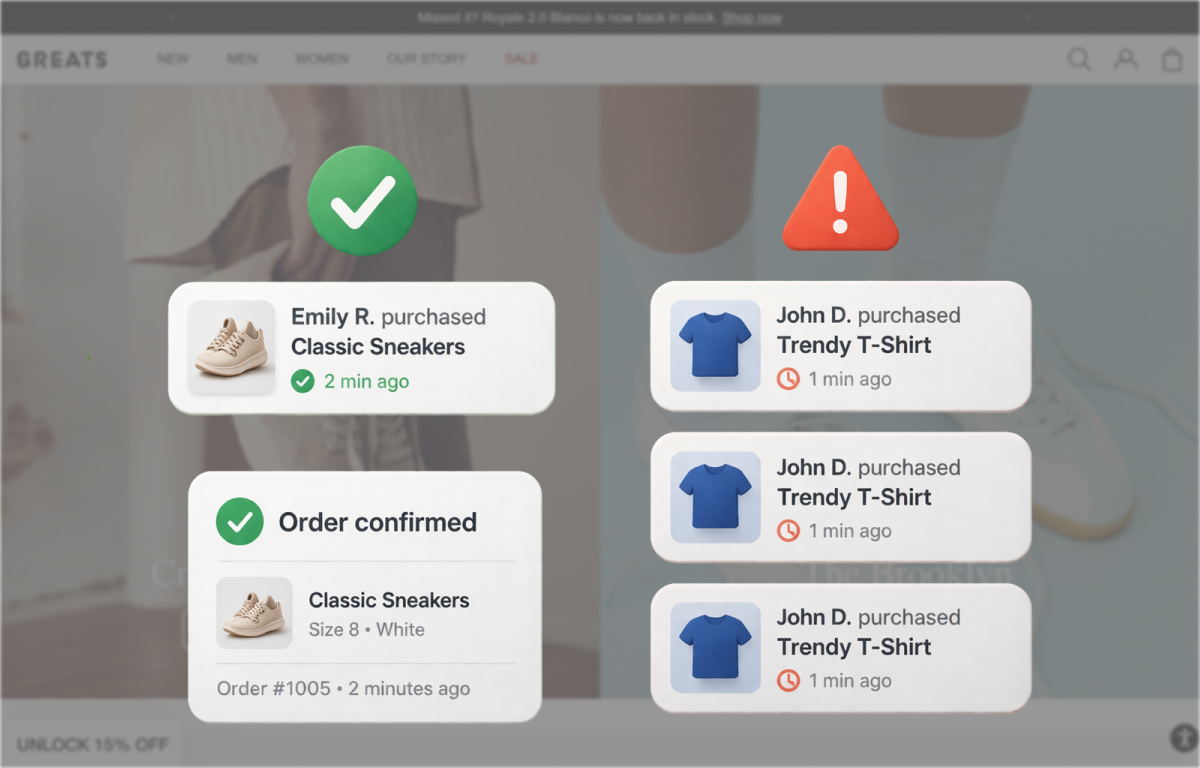
Real sales notifications with a few natural popups versus fake ones with repetitive message structures
3.4 Trigger mechanism
Authentic Shopify notifications are usually triggered by real purchase events. Many Shopify apps display these widgets based on transactions that occurred within a certain time range, such as the past few hours or the past day.
Artificial purchase popups on Shopify often rely on automated timers instead.
✍️ For example, a popup might appear every 10 or 15 seconds regardless of whether any orders were placed. The system cycles through a list of prepared messages to imitate continuous activity.
Due to this mechanism, fake notifications can create the illusion of ongoing sales, even during quiet periods.
3.5 Customization
Customization with real customer purchase popups generally focuses on presentation and filtering. Merchants can adjust elements such as:
- popup design and layout
- message style
- display timing
- which products appear in notifications
The message content itself is limited to real order information, so it cannot be freely changed.
Fake Shopify sales alerts provide a much higher level of manual control, including:
- customer names
- geographic locations
- product titles
- timestamps
- notification frequency
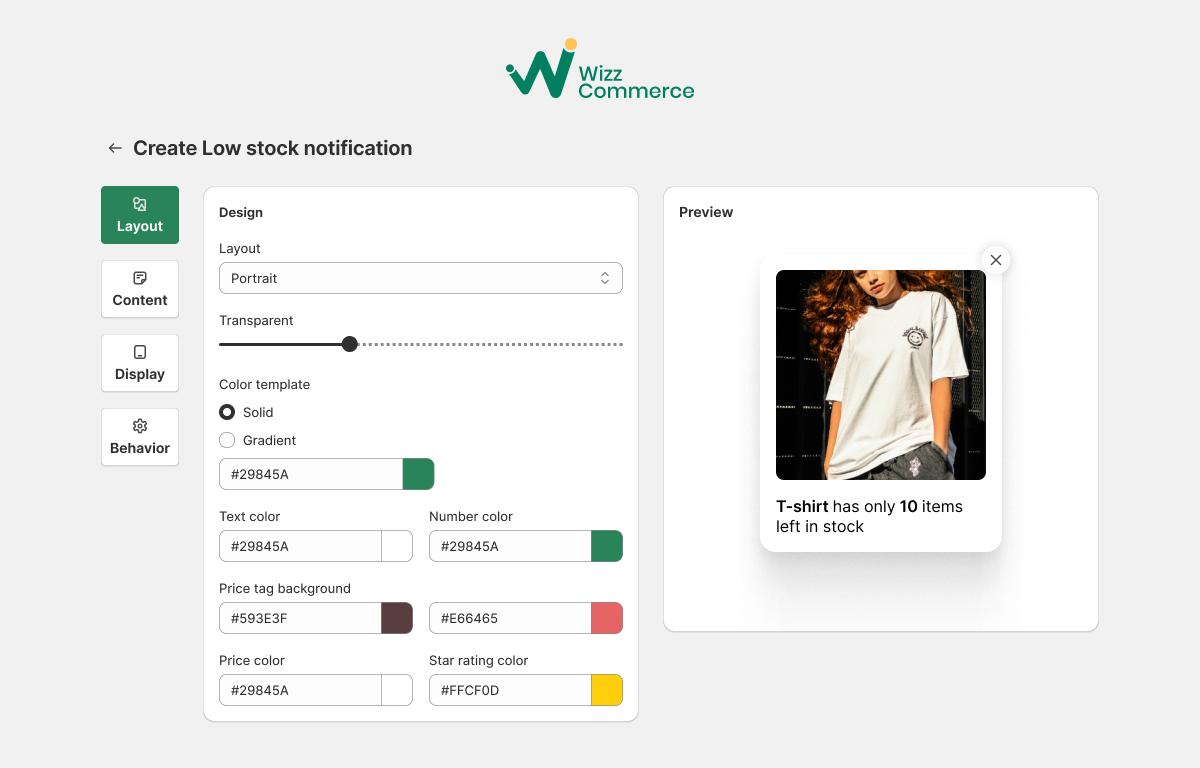
Control the design of fake Shopify popups with notification apps
3.6 Customer trust impact
Real Shopify store activity popups indicate real interactions with the store. Seeing recent orders may reassure visitors that other shoppers have already chosen the product.
Shopify fake sales notifications may still attract attention, but also carry a potential trust risk. Modern online shoppers, especially Millenial and Gen Z, are often familiar with marketing techniques such as urgency triggers and simulated activity. If the notifications come out too many times or seem artificial, customers may question your store's credibility.
3.7 Policy and legal considerations
Under the policies of Shopify, merchants need to ensure that marketing claims on their store are truthful and accurate. This requirement covers statements about product popularity, pricing, availability, and customer demand.
✨ Marketing practices that could be potentially misleading include:
- Showing a low-stock alert such as "Only 3 items left" when more inventory is actually available
- Displaying a countdown timer like "Only 5 hours left" though the timer resets automatically
- Stating that a certain number of people purchased a product when that information is not accurate
In the United States, the Federal Trade Commission also regulates deceptive advertising, including fabricated endorsements or misleading claims designed to influence purchasing decisions.
In addition, European law prohibits misleading or aggressive marketing claims. Therefore, merchants should carefully evaluate how their social proof features are implemented. Clear and transparent representations of customer activity help reduce compliance risks and support a more trustworthy shopping experience.
If you consider legality and safety of fake Shopify order notifications, you can read more here!
Fake sales proof popups is a short-term solution to make a store look active, but it can create several long-term risks for a business.
Loss of customer trust: If visitors discover that the trust-building notification is artificial, their confidence in the brand can quickly disappear. Customers may begin to question whether the products, reviews, or marketing claims are genuine.
Negative customer perception: Simulated trust signals can create a negative perception of the brand. Visitors may feel that the store is trying to manipulate their decision rather than provide honest information. Some customers even leave the site without completing a purchase.
Legal risks: Misleading marketing practices can violate consumer protection rules.
Damage to brand reputation: If customers discover fake activity signals, they may share their experiences publicly. Negative feedback can spread quickly through social media and review platforms, then harm the brand's reputation. It can take significant time and effort to rebuild credibility with customers.
Reduced value of real customer feedback: When fake testimonials or notifications are mixed with genuine ones, it becomes difficult for visitors to distinguish them.
Ethical concerns: Modern consumers prefer brands that communicate honestly. Stores with live customer activity notifications can build long-term relationships with their audience.
At the same time, even live order popups should be added cautiously. Genuine purchase notifications are generally seen as more trustworthy, but overusing them can still annoy visitors.
5. How customers recognize fake Shopify notifications?
Simulated notifications do not fail simply because they are artificial, they fail when they become predictable.
Many online shoppers are familiar with social proof tactics and can quickly recognize patterns that feel unnatural. Common signs include:
- Repetitive messages showing the same products or wording
- Notifications appear too frequently (every few seconds)
- Customer locations that don't match your target audience
- Activity appearing during low-traffic periods
- Identical timing patterns across multiple popups
When visitors notice these inconsistencies, the issue goes beyond the popup itself. It can create doubt about the store's overall credibility. In most cases, trust is not gradually reduced, it drops immediately when something feels artificial.
6. Shopify real vs fake purchase notifications: Should you ever use fake ones?
6.1 Early-stage stores: Focus on early trust signals
- Collect interest before launch: Let visitors join waitlists, pre-orders, or early-access signups before your store officially launches.
- Get your first real reviews: Send products to early customers, creators, testers and ask for honest feedback.
- Use live visitor activity: With visitor counters and add-to-cart notifications, the storefront stays lively.
- Create honest urgency with low-stock alerts, limited launches and shipping cutoffs. They work best when reflecting real conditions.
At this stage, your online store does not need to appear huge and overly busy. A few real buyer engagements are often enough to make first-time buyers comfortable placing an order.
6.2 Growing stores: Let real customer activity do the work
- Add real-time purchase notifications: Even a few real orders each day can reinforce credibility.
- Collect reviews consistently: Ask customers for reviews after every purchase.
- Share customer experiences: Customer photos and testimonials help visitors see how people actually use the product.
- Build clear store policies: Shipping information, return policies and visible customer support reduce checkout hesitation.
- Highlight growth milestones: Messages like “Trusted by 500+ customers” or “Rated 4.8 stars” quickly present your brand reputation.
Conclusion
Even real sales alerts should be implemented carefully. When popups appear too often, shoppers may ignore them and trust them less.
Frequently asked questions
1. Do real Shopify purchase notifications perform better than fake ones?
In most cases, yes. Real purchase notifications show actual customer activity, which helps build trust. Fake alerts may attract attention at first, but live activity is usually more convincing over time.
2. What are the risks of using simulated purchase notifications on Shopify?
Simulated notifications can reduce trust, create policy risks, damage the store's reputation or weaken real customer feedback.
3. Should Shopify stores use fake notifications?
Shopify shop owners should avoid unrealistic purchase popups. Real sales notifications always stay more natural to shoppers and support stronger long-term growth.