






TL;DR
Cart drawers keep shoppers in the flow and tend to work well for quick, low-consideration purchases. Cart pages give buyers more room to review their order before committing, which matters more for bigger purchases. No single format works best for every store. Real-world tests show that results vary depending on your catalog, your audience, and your device mix. A lot of successful stores use both together: a drawer for speed, a full page for clarity.Cart page vs cart drawer is a common decision for Shopify stores, but the answer is not always straightforward. Each approach shapes how customers move, decide, and complete a purchase. In this guide, we’ll compare both options, explain when each one works best, and show how a hybrid setup can help stores balance speed, clarity, and conversion.
1. What is a cart page?
A shopping cart page is a separate page where customers can see and review all the items they’ve added before checking out. It opens when shoppers click the cart icon or select "View Cart" after adding a product.
- Full page dedicated to cart review
- Requires navigation away from the product page
- Provides a clear and familiar checkout step
- Supports more detailed interactions
- Complete list of items with images, prices, and quantities
- Subtotal and total cost breakdown
- Discount or coupon code entry
- Shipping calculator or delivery estimate
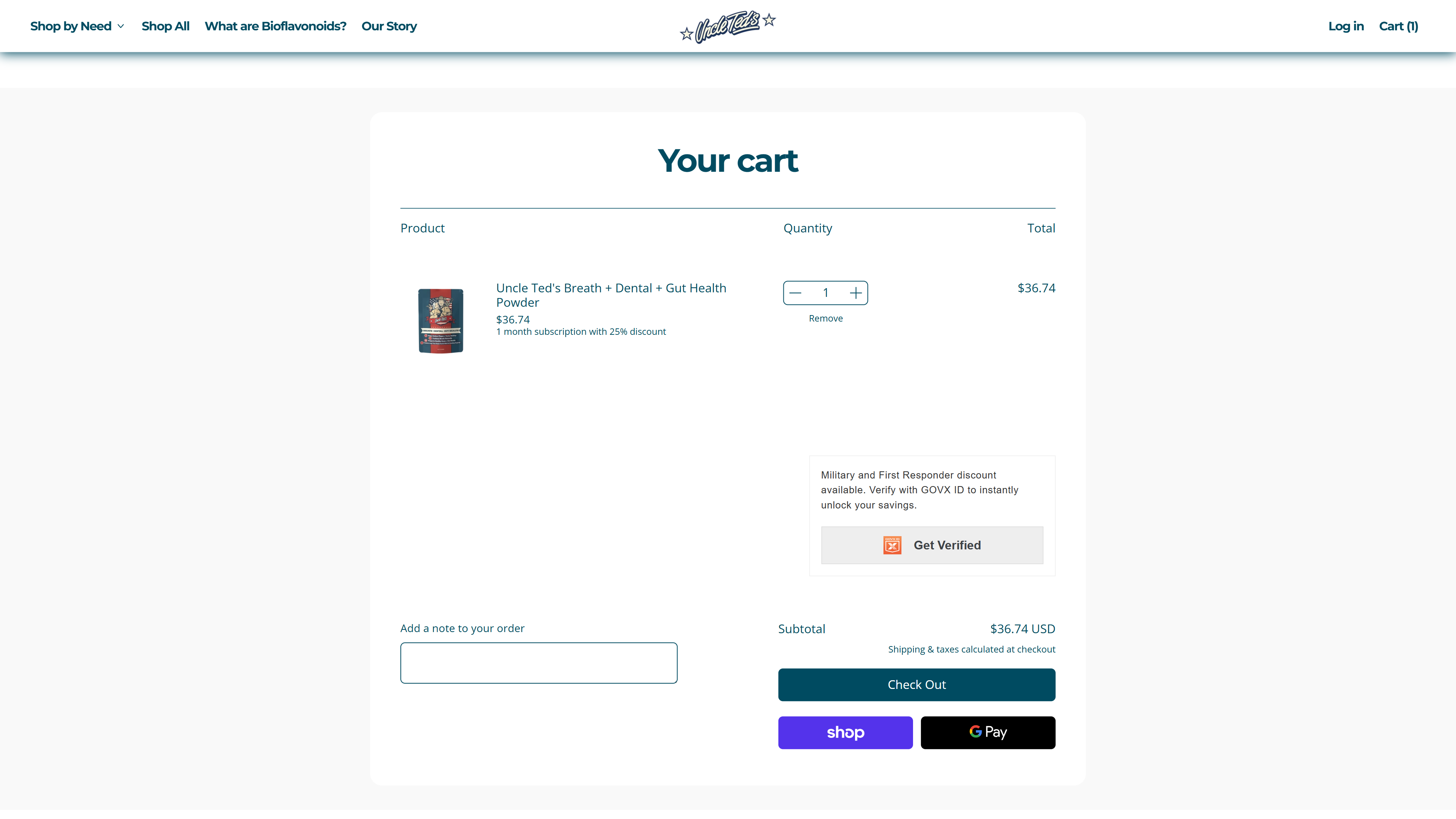
The traditional cart page from a Shopify store
2. What is a cart drawer?
A side cart is a slide-out panel that appears when a customer adds an item to their cart. Instead of moving to a new page, the cart opens on the same screen, usually from the right side.
- Appears as an overlay on the current page
- Slides in from the side (commonly the right)
- No page reload or redirect
- Keeps users in the browsing flow
- On mobile, often expands to full screen
- Compact list of cart items with quick edit options
- Quantity controls and remove buttons
- Subtotal and checkout call-to-action
- Free shipping progress bar
- Upsell or cross-sell suggestions
- Express checkout buttons (e.g. Shop Pay, Apple Pay)
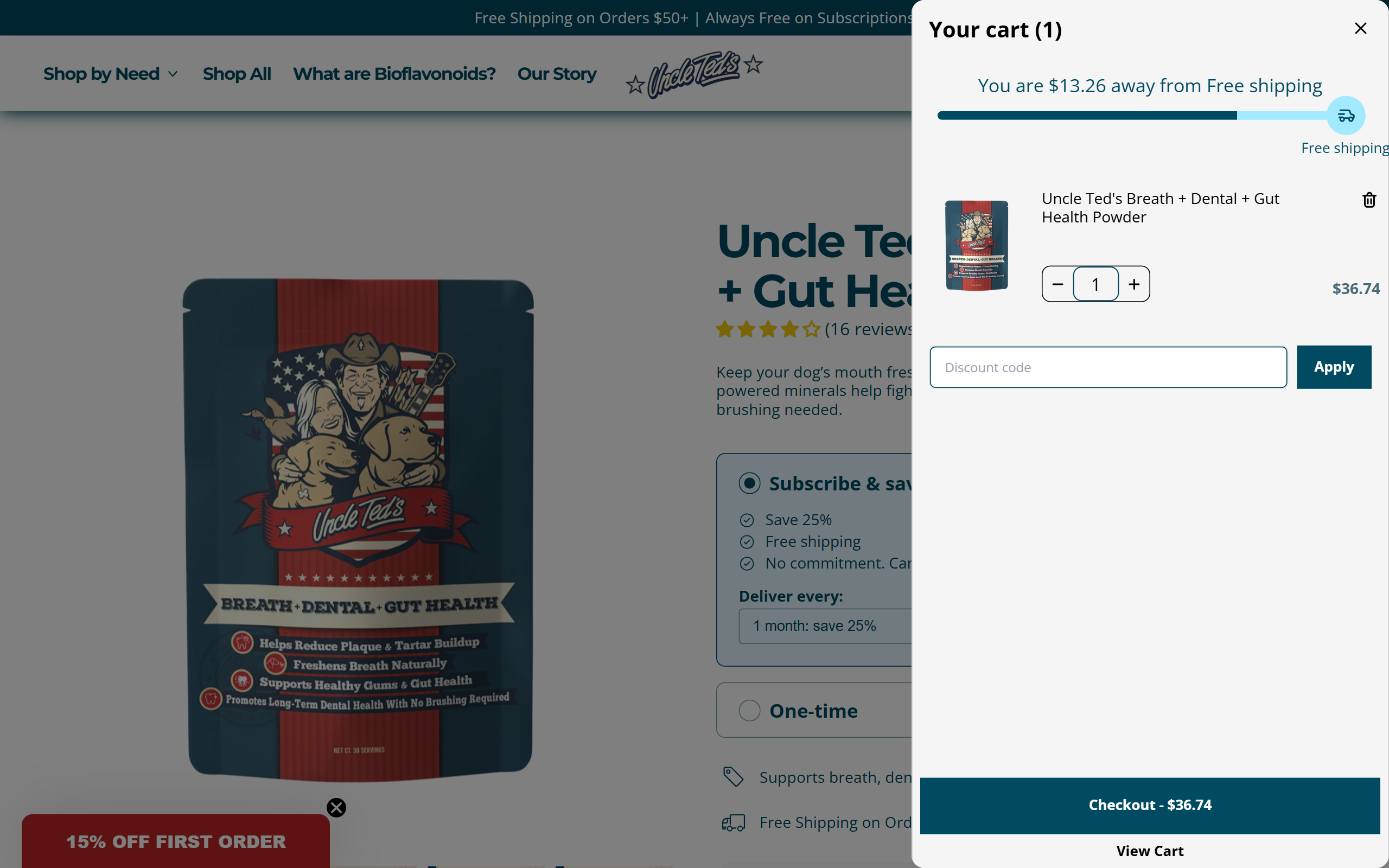
The overlay cart from a Shopify store
3. Key differences between shopping cart page and slide cart drawer
3.1 Cart page vs Slide cart: Quick comparison
Full cart pages or cart sidebars instruct customers in a different way, shapes how they browse, how quickly they act, and how confident they feel before checkout.
The table below shows the main differences between separate cart pages and slide-out carts on Shopify:
3.2 Flow
The slide-out cart appears over the current page. Shoppers stay right where they are while reviewing items, updating quantities, or heading to checkout. No page reload needed, so the flow seems seamless and fast.
On the other hand, the dedicated cart page opens as a dedicated, full page. Buyers move into an independent space to verify items, totals and options in detail. The extra room supports more thoughtful decisions and builds confidence before completing the order.
3.3 Speed
Speed matters more than you think. Akamai found that a 100-millisecond slower load time reduced conversion rates by 2.4% overall, with smartphones at 7.1% and tablets at 3.8%. 53% of mobile users leave if a page takes more than 3 seconds to load.
An ajax cart feels faster because it updates right away without loading a new page. It uses background requests (AJAX) to refresh the cart, so the interaction happens almost immediately. A full cart page, in contrast, requires a full page load, which can take a few seconds depending on scripts, images, and network speed.
In practice, a page reload may change how shoppers feel. They may reconsider the purchase, compare options, or simply drop off. Using a cart drawer allows the shopping experience to move smoothly and without delay. A cart page adds one extra step, which can improve clarity but less instant for speed.
3.4 Screen space
The cart sidebar uses limited screen space, which keeps the cart compact and easy to scan. It supports quick actions and encourages impulse decisions without pulling shoppers away from the page.
A traditional cart page offers a more complete view. It gives space for product details, pricing, notes, and totals. This layout makes it easier to check everything before placing an order, especially when the cart includes multiple items.
3.5 Mobile experience
On mobile, the overlay cart usually fills the entire screen. Therefore, each add-to-cart action can take customers out of their browsing journey. To continue shopping, they need to close the drawer, usually by tapping a small "X" in the corner.
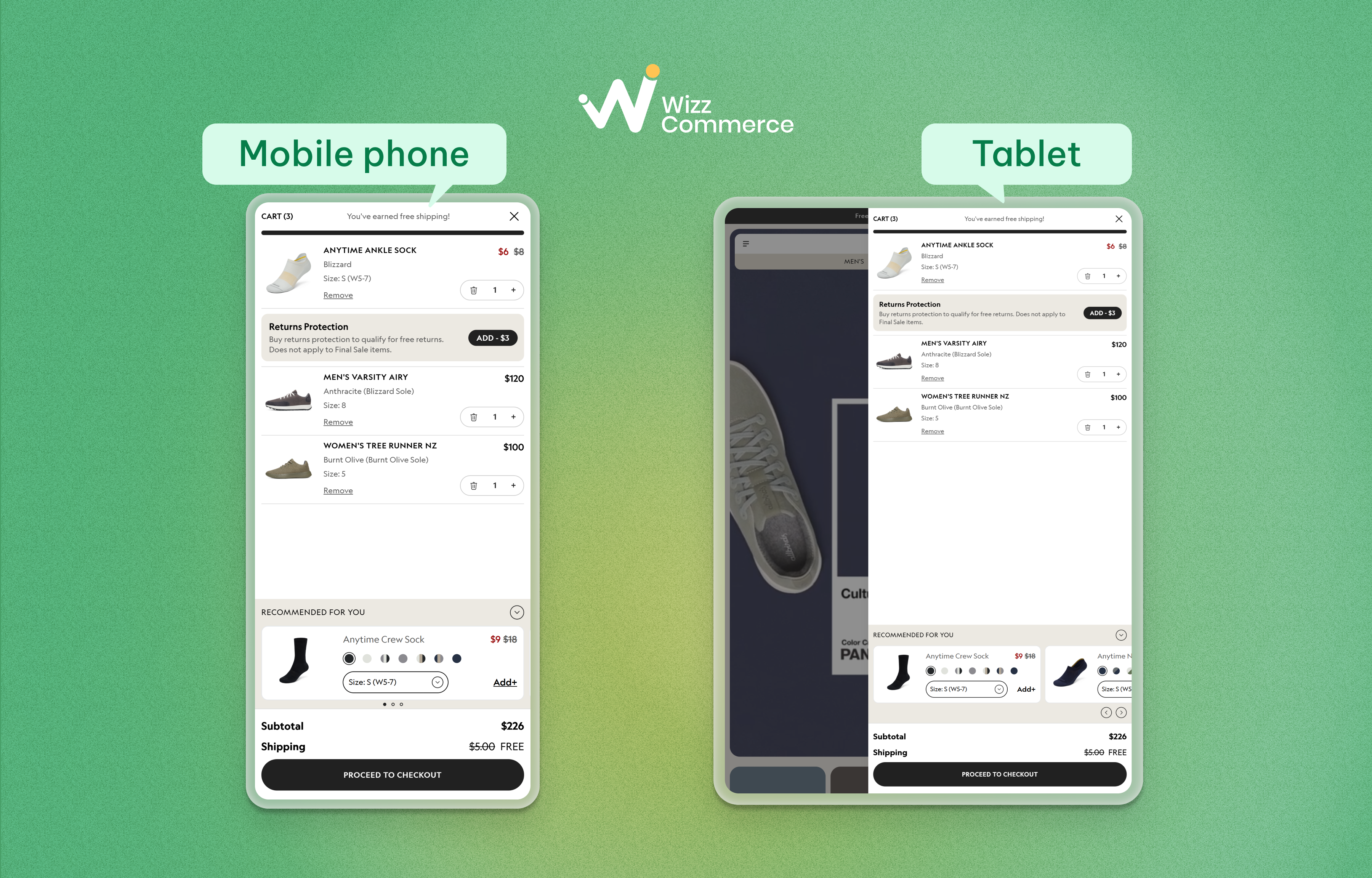
How the cart drawer looks like on mobile phone and tablet
Another trade-off is navigation. A cart panel removes most navigation options to focus on the checkout button. It speeds up decisions, but reduces flexibility to explore or add more products.
A shopping cart page seems more stable on mobile. Shoppers can move around, view products, and return to the cart when needed by tapping the cart icon.
4. Dedicated cart page vs Slide cart: Which converts better?
4.1 Benchmark from Shopify Stores
Recent benchmark data from more than 20,000 Shopify stores shows that cart drawers perform very strongly before checkout.
- Slide carts generated a 3.2x revenue multiplier.
- Full cart pages reached 2.2x revenue lift.
- Popup carts trailed at 1.95x.
- Optimized drawers also raised average order value by 73.8% across the board.
- The average cart-to-checkout conversion rate hit 5.66%, higher than the global e-commerce average of 3%.
- A progress bar inside the drawer drove 260% revenue growth.
- Product upsells boosted 190%.
- And product recommendations contributed 165%.
- A sticky "Proceed to Checkout" button also improved conversion by 6.8 %.
4.2 A/B Test
Benchmark data shows strong performance from cart drawers, but real-world results are not always consistent. CRO Weekly tested an overlay cart across two different Shopify stores with very different setups.
a. The first store: Small product catalog
The first store had a small product catalog, and most customers usually bought just one or two items. The original setup was minimal, with only a small notification and a link to the separate cart page.
After introducing a cart panel, the results split clearly by device:
- Conversion rate dropped 8.4%
- Average order value declined by about 1%
- Revenue per session fell 10%
- Conversion rate up 17%
- Average order value grew by 8%
- Revenue per session reached 24% higher
At first, the desktop gains look strong. But mobile accounted for around 80% of sales in this store, which meant the impact in total was negative.
b. The second store: Large product catalog (100+ products)
The second store had a much broader catalog and more complex shopping behavior. Customers were more likely to browse, compare, and add multiple items.
After building a new drawer and running the test for four weeks and more than 2,000 transactions, the results were weaker overall:
- Conversion rate declined 2.75%
- Average order value moved 5.27% lower
- Revenue per session went down 8.28%
- Conversion rate increased only 0.5%
- Average order value declined 10%
- Revenue per session dropped 9.59%
In that case, the cart drawer underperformed on both mobile and desktop. The contrast between the two tests suggests that a slide cart is not universally better. Outcome depends on catalog size, shopper behavior, and device mix.
4.3 So, what actually converts better between traditional cart page and cart panel?
Taken together, conversion does not depend on a single cart format, but on how well it fits the buying situation.
When purchases are simple and low-risk, reducing steps can make a clear difference. A slide-out cart keeps the experience moving, allows quick edits, and surfaces upsell at the right moment. As a result, shoppers tend to add more and move to checkout faster.
When purchases require more thought, the pattern shifts. Buyers may want to check details, compare items, and confirm totals before paying. A full cart page creates a clearer space to review the order, which builds confidence and can improve final purchase completion.
5. Cart page vs Cart drawer: When Shopify Merchants should use?
Different shopping behaviors call for different cart experiences. Use the guide below to match each setup with the right context.
Try the Hybrid Approach
Many high-performing Shopify stores do not choose between a cart page and a cart drawer. They combine both to support different shopping behaviors.
Start with a slide cart. When a product is added, the drawer opens instantly, confirms the item. Shoppers who are ready can move straight to checkout with a clear, prominent button.
For those who want a closer look, a "View Full Cart" link leads to a dedicated cart page. The cart icon in the header also points to the full cart, making it easy to return and review items at any time.
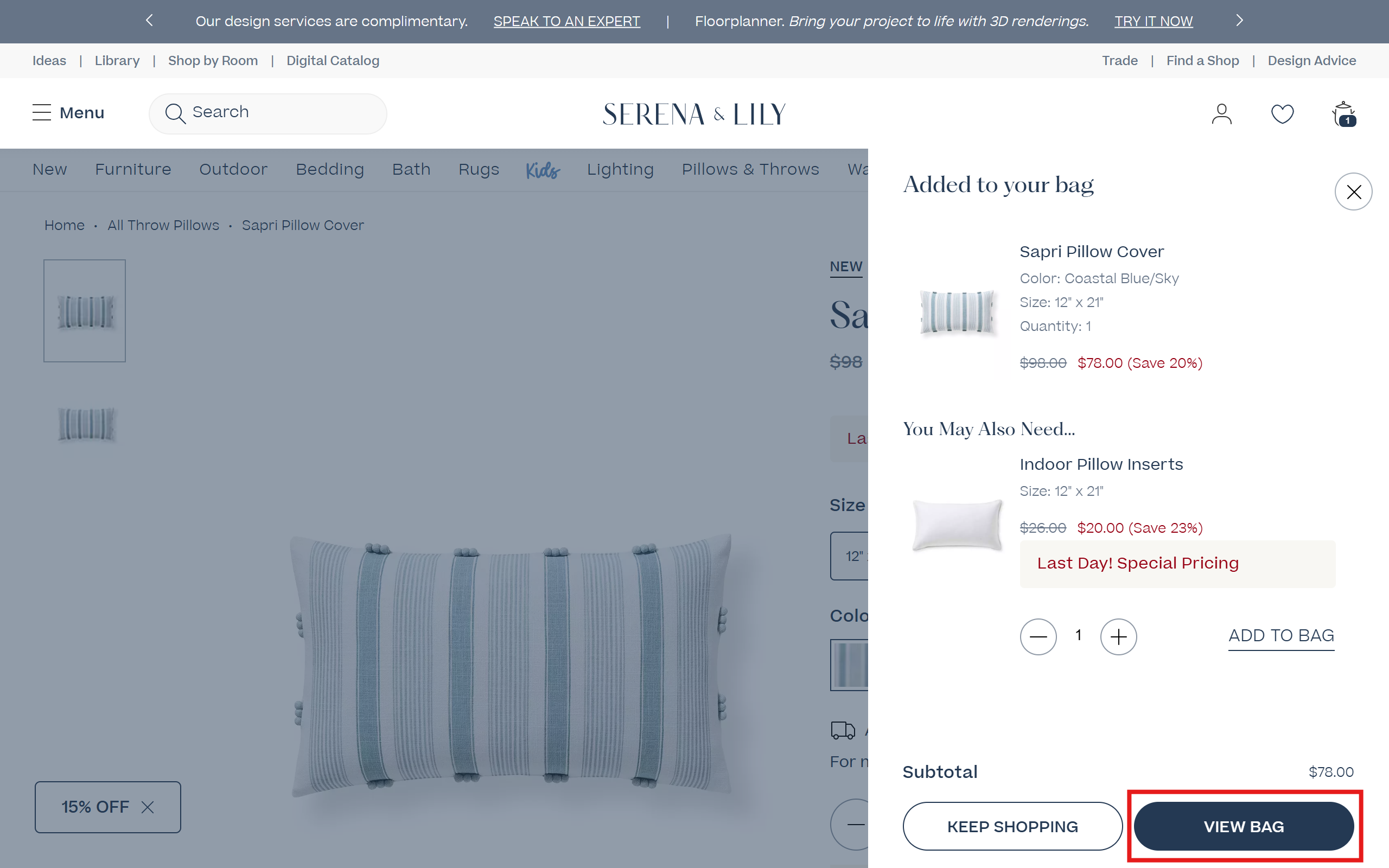
Select "View Bag" to redirect to a dedicated cart page
- Device-based setup: use a drawer on desktop and guide mobile users to a full cart page
- User preference: allow shoppers to choose how they view their cart
- Product-based logic: use drawers for simple items and full pages for complex products
6. Best features for cart optimization to prevent cart abandonment
Many carts are abandoned at the final step. Small moments of doubt, extra steps, missing information can be enough to stop the purchase. The right features help remove friction and guide shoppers to move forward.
In-cart upsells
Encourage higher order value with relevant suggestions such as upgrades, bundles, add-ons. Suggestions should match what is already in the cart. Keep the list short and allow one-click add.
Progress bars
Reveal how close the order is to a reward like free shipping or a discount. A clear goal can persuade purchasers to add one more item. Set the threshold slightly above your average order value to increase cart size.
Payment options
Focus on popular options like cards, digital wallets, and express checkout. Place them near the checkout button and keep the display clean.
Discount field
Make sure the coupon field is visible but not too prominent. Update totals instantly, so buyers see the benefit right away. Automate discounts to reduce extra steps.
Ratings, reviews, and trust badges reassure shoppers about product quality and payment safety. Position social proof near the cart summary or checkout button for the strongest impact.
For deeper understanding, you can explore our article about optimizing Shopify cart drawer we've made for you!
7. Common mistakes to avoid in the cart stage
Following trends without testing
Overlay carts are popular, but they don’t always perform better. What works for one store may not work for another. Always test before making a full switch.
Ignoring mobile experience
Most traffic comes from mobile. If the cart feels cramped or the checkout button is hard to reach, conversions will drop. Always test on real devices, not just desktop.
Overloading the cart
Too many upsells, messages, and buttons can overwhelm shoppers. A crowded cart creates hesitation instead of action. Keep only the most important elements.
Skipping optimization
A basic cart setup leaves revenue on the table. Features like upsells, progress bars, and express checkout can make a big difference. Without them, the cart becomes just a passive step.
Slowing down the site
Heavy apps and scripts can hurt performance since the cart loads across the site. Even small delays can impact conversion. Always check speed before and after adding new features.
Final thoughts
There is no single winner between a cart page and a cart sidebar. You need to test both to decide which matches your products, audience, and shopping behavior. Whatever cart you choose, make sure it’s optimized for the best customer experience.
Many high-performing Shopify stores move toward a hybrid setup to handle both fast and thoughtful purchases.
FAQs
1. Which converts better between a shopping cart page and a slide cart drawer?
Slide-out carts usually perform better for engagement, faster actions, and increasing order value before checkout. Separate cart pages, however, can lead to more completed purchases when shoppers need time to review details and feel confident. The better option depends on how your customers shop and what kind of buying decision they are making.
2. Does cart panel hurt mobile conversion?
It can. On mobile, cart panels often take over the screen and interrupt the shopping experience. Some tests show lower conversion if they add friction or limit navigation.
3. Can you use both mini cart drawer and dedicated cart page on Shopify?
Yes. Many high-performing stores apply the hybrid setup: a mini cart drawer for quick actions and upsells, and a full cart page for detailed review.